
Cloud DMA
The Cloud DMA delivery layer uses Hyper-V on one Windows PC.
In short
A Hyper-V environment on one PC
Prepare firmware virtualization and Hyper-V for a virtual environment on your gaming PC. Activation uses an encrypted service connection.
Overview
Plan the delivery layer before the loader
Check Windows, Hyper-V and the separate purchases before ordering.
Cloud DMA sets up a Hyper-V environment on one Windows PC. Guided installation and encrypted activation provide the infrastructure used by this catalog’s delivery workflow.
For the ROB RUN package, Cloud DMA is required for full functionality on supported builds. Budget and prepare for GREENWARD, Static Server and AWS separately. AWS is regional routing; Static Server is a distinct product.
Hyper-V on your gaming PC
Enable CPU virtualization in firmware and use Windows with the Hyper-V role available. The guided installer prepares the virtual environment on the same PC and activation uses an encrypted connection.
Memory, connection and security
Allow at least 8 GB RAM; 16 GB is recommended. Stable broadband is required for activation and ongoing connectivity. HVCI, Core Isolation, TPM and Secure Boot remain enabled. Check the Windows edition and firmware support before ordering.
Keep the separate products clear
GREENWARD, Static Server and AWS are additional purchases. Static Server and AWS are two distinct products. AWS provides regional routing for Cloud DMA workflows. Confirm the setup and routing instructions with support rather than assuming a region or an install order.
Access and delivery
The Cloud DMA listing offers lifetime access. Review the current terms at checkout, then follow the delivered installation guide. Buying this infrastructure does not include ROB RUN Cheats or the other dependencies.
Included
Cloud DMA features
The lifetime license covers the Cloud DMA infrastructure layer.
- Single-PC setup
- Guided Hyper-V installation
- Encrypted activation
- Lifetime access
Setup
From purchase to activation
Follow the Windows and Hyper-V checks before you run the installer.
Setup
- Layer A
Single-PC setup
Hyper-V runs on the gaming PC and connects to the service for activation.
More products
Pairs well with
Explore the other three products and their setup requirements.
- Rob Run Cheats Role-aware player ESP, loot and base details, aimbot, triggerbot and radar. View details: Rob Run Cheats
- HWID Spoofer A separate hardware utility for identifier changes and trace cleanup. It does not remove an account sanction or establish ROB RUN compatibility. View details: HWID Spoofer
- Skin Changer The cosmetic client changes what appears on your screen. It does not add tradable items; ask support to confirm your title before ordering. View details: Skin Changer
FAQ
Questions about this page
Answers for this page. The FAQ page holds the rest.
Blog
Related guides
Read a focused guide for the menu or purchase question you want to resolve.
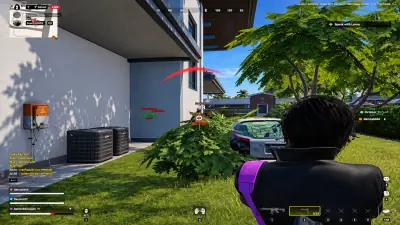
Check Steam, Windows security, Cloud DMA and separate purchases before choosing a ROB RUN license.