
Before You Buy ROB RUN Cheats: PC and Delivery Checklist
Check Steam, Windows security, Cloud DMA and separate purchases before choosing a ROB RUN license.
Start with the version you play
The package is built for the Steam version of ROB RUN on Windows 10 or 11. The game is in Early Access, so a familiar menu image does not prove that a loader matches the latest patch. Confirm the current build with documentation or support before ordering or returning after an update.
Check Windows security before checkout
HVCI and Core Isolation must be enabled in Windows Security. TPM and Secure Boot must also be on in firmware. These are product requirements, so a loader guide should not be replaced with assumptions about turning security off. If a setting is unavailable on your PC, describe the hardware and Windows version to support before paying.
Prepare the Cloud DMA environment
Cloud DMA is required for full functionality on supported builds. It uses a Hyper-V environment on one PC. Check that CPU virtualization is enabled in firmware and that your Windows edition provides the Hyper-V role. Allow at least 8 GB of RAM, with 16 GB recommended, and a stable broadband connection for activation and ongoing connectivity.
Separate the purchases clearly
The cheat, Cloud DMA, GREENWARD, Static Server and AWS are not one included bundle. GREENWARD, Static Server and AWS are separate required purchases for the Cloud DMA workflow. Static Server and AWS are two distinct products. AWS provides regional routing; confirm the routing instructions for your setup instead of choosing a region from an old guide.
Choose features for the way you play
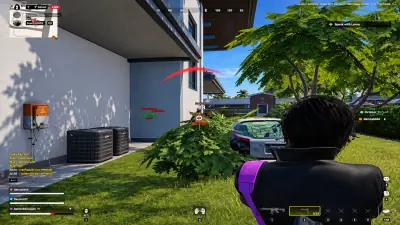
Read the main product controls before buying. Player ESP shows roles, wanted states, equipment and actions. World markers can show loot values, camera coverage and base timers. Aim and triggerbot settings handle a different task from the information overlay. A larger feature list does not remove the need to configure filters and distances.
Read the license and delivery details
A loader is supplied after purchase. Use the delivered instructions for installation and first launch. Time-limited keys run for their stated period, while lifetime keys stay valid while the license is active. Read the current terms and price at external checkout. A lifetime key does not promise permanent compatibility with every future patch.
Keep useful details ready for support
For a setup question, include the exact product, Windows version, Steam client build and error text. Explain which prerequisite or supplied instruction you are checking. The Support page keeps the existing ticket and documentation routes in one place. Detection status is maintained rather than guaranteed, and third-party cheats can lead to account penalties.