
ROB RUN Aimbot and Triggerbot: What Each Control Does
Understand keys, FOV, smoothing, bones, role filters and trigger hitboxes without borrowing settings from another game.
Separate targeting from firing
Aimbot selects and follows targets according to its controls. Triggerbot fires when the crosshair intersects a valid hitbox. They have separate activation keys, so treat target selection and firing conditions as separate choices. The ROB RUN product page lists the complete package and its requirements.
Choose the activation behavior
Assign an aim key and an optional force aim key. Standard aim assistance and memory/silent aim are available. An in-scope restriction limits use to scoped aiming, and a visibility check excludes targets behind cover. Choose these restrictions alongside the activation key.
Understand FOV and movement controls
FOV and adaptive FOV set the targeting area. Smoothing, humanization and prediction tune aim behavior, with an optional prediction cross marking the predicted point. Keep your chosen settings in a saved profile and adjust the available controls for the targets you want to follow.
Select bones and target priority
Head, neck, chest, pelvis and closest bone are available. Bone randomization and head hit chance are separate controls. Closest and crosshair priority choose how targets are ranked. Maximum aim distance and switch delay limit reach and how quickly targeting moves to another player.
Use role and ignore filters deliberately
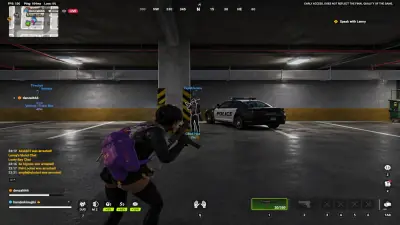
Select cops, robbers, civilians or NPCs. Ignore dead or knocked players, players in vehicles, teammates and clan members. These filters matter in Looty Bay because a police role, a teammate and a civilian have different roles in an encounter. Choose the groups you want the aimbot to consider.
Set triggerbot conditions independently
Choose hold or toggle activation, then select head, body or leg hitboxes and adjust hitbox scale. Reaction delay controls the wait before firing; visible-only and maximum distance narrow the valid targets. The same ignore filters used by aimbot apply. This is a defined control list, not a promise about the outcome of a fight.
Save a profile and revisit it after updates
FOV border, background and locked-target drawing can be switched independently. Battle mode can hide the FOV circle. Save the configuration after choosing keys and filters. After a Steam Early Access patch, confirm loader compatibility before relying on a previous profile. Settings do not guarantee undetectability or prevent account penalties.