
ROB RUN ESP and Radar: Build a Readable Heist Overlay
Use roles, loot values, camera cones, vehicle condition and base timers while keeping the display manageable.
Start with player roles and states
Police, robbers, civilians and NPCs are different information categories. Player ESP can show role and clan tags, wanted or heat state, held weapons and actions such as reloading, shooting, arrested or downed. Begin with the details that answer your immediate question about a nearby player instead of displaying every label.
Choose how players are drawn
Plain or background styling supports full, corner, 2D or 3D boxes, fills, skeletons and head circles. Health and armor are separate readouts. Visible and hidden targets can use different colors. Distance fade, maximum range and team hiding reduce overlap, while off-screen arrows and an aiming-at-you indicator add threat context.
Filter loot by category and value
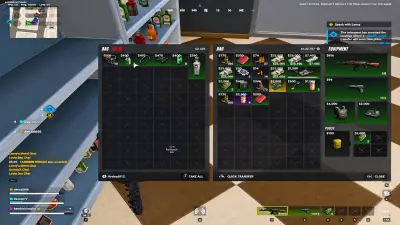
World ESP marks dropped items, cash, bags, containers, cargo, safes and workbenches. Choose weapons, ammo, armor, medicine, keys, tools or valuables, and use the minimum value filter to omit low-value drops. A maximum world distance keeps a distant cluster from crowding the route directly ahead.
Read the security around an entry
Camera markers show coverage cones and broken or disabled states. Alarms, panels, guard posts and vault doors add context around a bank or objective. Bank, roulette, cash-node and ATM markers cover the money locations. These are information markers; a marker does not itself disable security or complete a heist.
Use vehicle and base details for the next move
Vehicle ESP shows locks, owner or free state, occupancy, health, fuel, speed, engine and cargo. Filter by role and hide your own vehicle. Base ESP adds owner and clan, raid state and lock timers, defense modules and workbench timers. Laundering stations, cargo opening and crypto farms can also be marked.
Use radar as a category view
The 2D radar supports distance rings, a FOV cone, range, size and zoom, including auto zoom. Select players, vehicles, loot, cameras, hideouts, objectives and banks. Map markers, off-screen indicators and a player list are also included. Set the categories and range to suit the information you need.
Reduce clutter when combat starts
Battle mode has its own key and strips world labels. It can retain enemies only and filter by clan battle side. Save your chosen configuration so you can return to it later. For every module and the Windows prerequisites, see ROB RUN Cheats; for purchase questions, use the FAQ. A stream-proof option is listed, but check your actual capture setup with a local recording.